
Management & Analysis Software
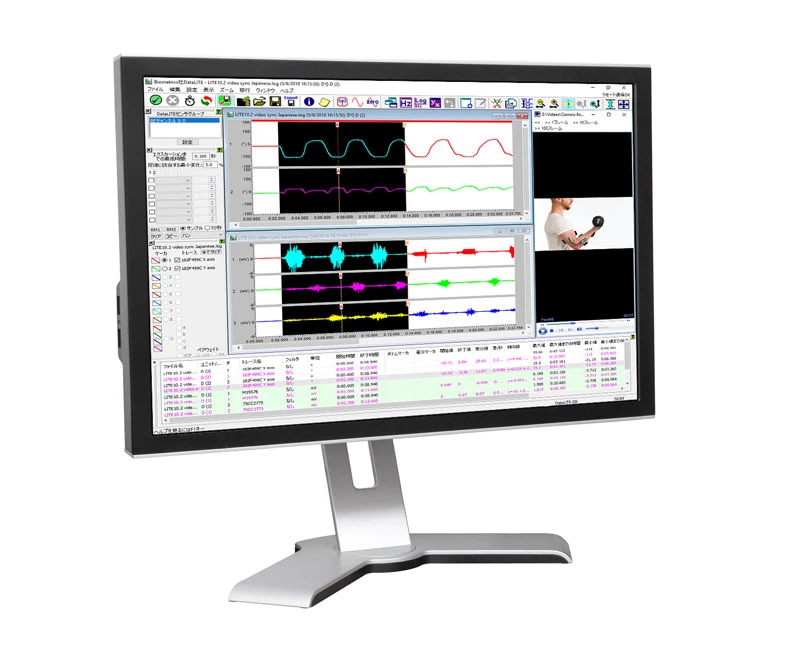
Biometrics Analysis Software for DataLITE, DataLOG and DataLINK is a comprehensive package for EMG, Goniometer and other associated sensor analysis including real-time data analysis as the data is collected.
Analysis Software Features
Biometrics Analysis Software Features
- Compatible with Windows 10 Desktop, Laptop and Tablet
- RF Channel Optimisation Test (DataLITE)
- Complete software can operate in Chinese and Japanese
- New Delete Trace Dialogue
- Display values and units
- Conversions
- Max/Min display values in analogue inputs dialogue
- Copy marked time to a derived window
- Display video files and fully time synchronize them with data collected from DataLOG, DataLINK or DataLITE
- Expanded Results Table showing all results of all channels simultaneously
- Create and save Workspaces
- Open an unlimited number of data files with the option to track the time axis across all files allowing display and analysis for a large number of channels.
- Waveform display in multiple windows and formats with full zoom, scroll, and area marking facilities, option to split, tile and cascade windows.
- Waveforms within the same window may be viewed overlaid or as separate traces. Easily toggle between the two views with a simple keystroke.
- Engineering units with custom scaling ability on all traces independently.
- Each recorded file is data and time stamped
- Full trace management (change line width, color, background color, etc.)
- Ability to set an unlimited number of vertical cursors (time markers) to a single trace, all traces in a window, and across multiple windows giving total flexibility. All values are shown simultaneously in the expanded results table.
- All vertical cursors may be altered via expanded results table by typing in time values to 0.001S giving maximum control.
- All horizontal cursors may be altered via expanded results table by typing in Y value to 0.01 giving maximum control.
- Filters
- Up to six filters may be applied to each trace
- Copy filters set to a channel to all other channels in 1 simple operation
- A memory store and recall (2 memory settings) for the filters set to a channel to easily be applied to any other channel. These memory settings are kept stored indefinitely until changed by the user
- Filters include: Rectify, Average, RMS, Velocity, Offset, Scale, Integrate, EMG Work Done, LPF 1st Order, Acceleration, Median Frequency, Mean Frequency
- Versatile Data Export for import into other applications for further analysis
- ASCII export of raw data
- ASCII export data in engineering units
- ASCII export traces after filters have been applied in engineering units
- Wave file format
- Expanded ability to include text notes with data files
- Power Spectrum Graph
- X-Y graphs
- FFT high pass filters: remove DC, remove very low frequencies
- FFT window functions:
- Inputs and Alarms - The analogue and digital inputs are displayed in engineering units during data acquisition. Audible and visible high and/or low alarms may be set to any or all of the channels
- Comprehensive Help menu that may be used as a tutorial for both the hardware and software operations.
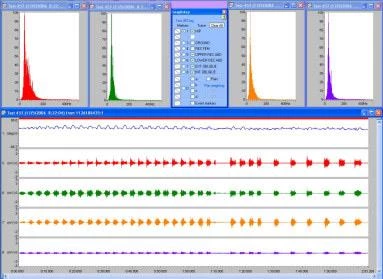
As soon as a file is opened it is displayed as a raw EMG file and may then be subject to any or all of the features listed above. The data may be left as a whole or truncated into smaller files of specific data for further analysis. Of course not only EMG data may be displayed at any one time. The Y axis may be labelled with any units governed by what sensors where connected at the time of recording, e.g. Kg or lbs for force or degrees for limb movement. These units are then saved with the file and automatically compute every time the file is reopened.
The digital inputs are displayed on a separate graph to the analog inputs. Using this facility during gait analysis, toe and heel contact on and off may be obtained using the contact switch assembly type no. FS4.
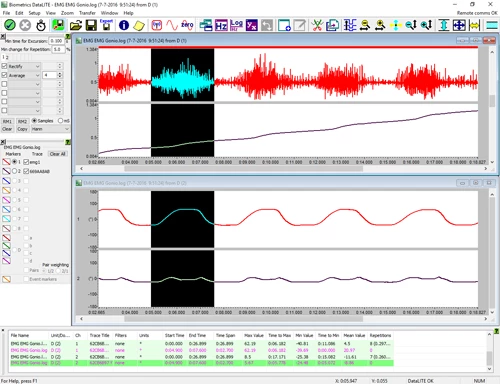
The Display to the left shows a Workspace containing unfiltered EMG data (abdominal muscles) with Goniometer data (hip flexion/extension) and EMG Power Spectrum.
Minimum Computer
Specifications
Minimum Computer Specifications
This minimum computer specification applies when used with Biometrics Ltd:
- DataLITE hardware, product references: DLE1, K2400, DG2
- DataLOG hardware, product references: MWX8
- DataLINK hardware, product references: DLK900
Before installing Biometrics Ltd software, confirm your computer meets all the minimum requirements.
| Operating Systems | Microsoft Windows 10 Professional. 64-bit (x86-64) build version 1909 or later. Microsoft Windows 11 Professional. 64-bit (x86-64) |
|---|---|
| CPU | 64-bit Processor (x86), running at 2GHz or Higher |
| RAM | 2 GB or Higher |
| Graphics | Windows compatible dedicated video card with 1Gb minimum vRAM |
| Display | SVGA Monitor / Screen. Minimum screen resolution 1024 x 768 pixels |
| Sound | Windows compatible sound card |
| Software Installation | USB 2.0 or USB 3.0 Port for connection of Biometrics Ltd USB flash drive containing the operating software |
| Hard Drive | DataLITE 50Mb free disk space for installation. Save Files will require more space. DataLOG & DataLINK 20Mb free disk space for installation. Save Files will require more space. |
| Input | 100% Windows compatible mouse / pointing device and keyboard |
| Connectivity (Biometrics Ltd Instrument specific) |
DataLITE 1 free USB 2.0 or USB 3.0 Port for DataLITE PIONEER DG2 hardware 1 free USB 2.0 or USB 3.0 Port for DataLITE ADVANCE Output Unit K2400 hardware 1 free USB 2.0 or USB 3.0 Port for DataLITE EXPLORE DLE1 hardware NOTE: The USB port requires 500mA power output for correct operation. DataLOG 1 free USB 2.0 Port for the Microsoft Bluetooth® Stack compatible Bluetooth adaptor Class 1 V2+EDR for the W4X8 and MWX8 Bluetooth Hardware 1 free USB 2.0 Port for P3X8 USB hardware DataLINK 1 free USB 2.0 Port for DLK900 USB hardware NOTE: The USB port requires 500mA power output for correct operation. |
| Media Card Reader | DataLOG & DataLITE EXPLORE 1 free USB 2.0 or USB 3.0 Port for Micro SD Card Reader or Micro SD Adapter Port |
Analysis Software Features
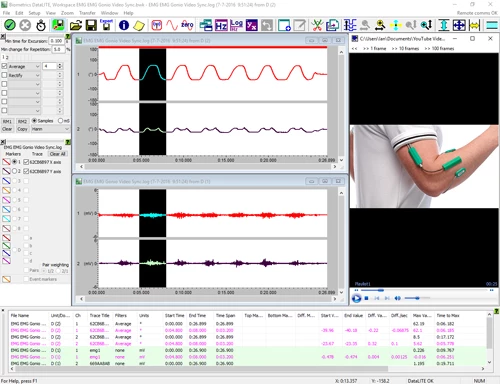
Display video files and fully time synchronize them with data collected from DataLITE, DataLOG or DataLINK. Any video file compatible with Windows Media Player may be used. The video does not have to start or stop at the same time as the recording as they can easily be synchronized after capture. If the video file contains sound then this is played along with the video.
Once the video has been loaded, controls on the video window allow it to be played, paused and stopped. Linking the video to the data file automatically creates a cursor at the start of the data file. Clicking within a data file trace window will move the video frame being displayed to that moment in time; in the same way, moving a paused video display to a different frame will scroll the data trace display to show the data at that moment in time.
Video synchronization options include:
The Expanded Results Table showing all results of all channels simultaneously. Multiple traces/graphs/windows from a single file or from multiple files may be compared. The spreadsheet style table displays the following data for each trace:
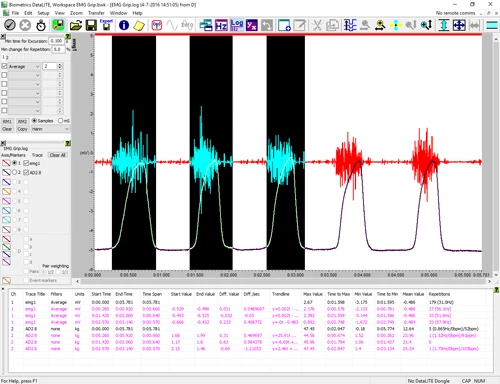
Create and save Workspaces. A Workspace is the complete appearance of the application along with the settings used within the program. This includes:
Multiple workspaces may be saved. In addition, when the application is closed, the current complete workspace is automatically saved in a file called 'Workspace when last closed'.
The workspace with the associated data files may be saved as a ZIP file which can be extracted using many third party applications. This facilitates electronic mailing of the data analysis results.

System Integrations
Biometrics Ltd systems can be integrated and work with many commonly known biomechanical equipment, which will add considerable value to your existing or new lab.